Add Videos to Your Products, and Manage Them in One Page
Learn the process of adding videos to products, and managing them at once.
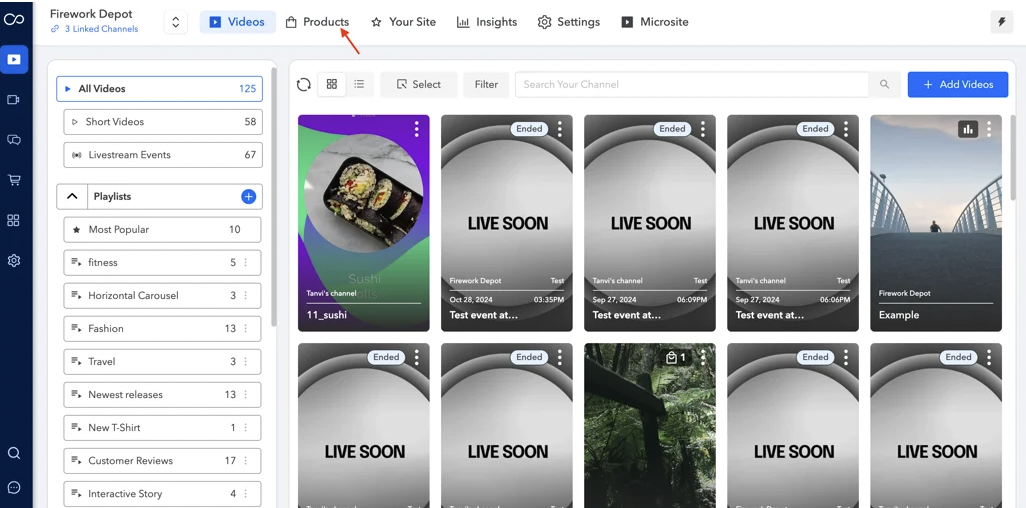
- Navigate to the product page within your business portal. [IMAGE: add-videos-to-your-products-and-manage-them-in-one__001__products-png_967ad2.avif | src: https://cdn.prod.website-files.com/66a003afc59794bcf70c2b34/69d3d637f1a3a71c5f85182f_add-videos-to-your-products-and-manage-them-in-one__001__products-png_967ad2.avif]
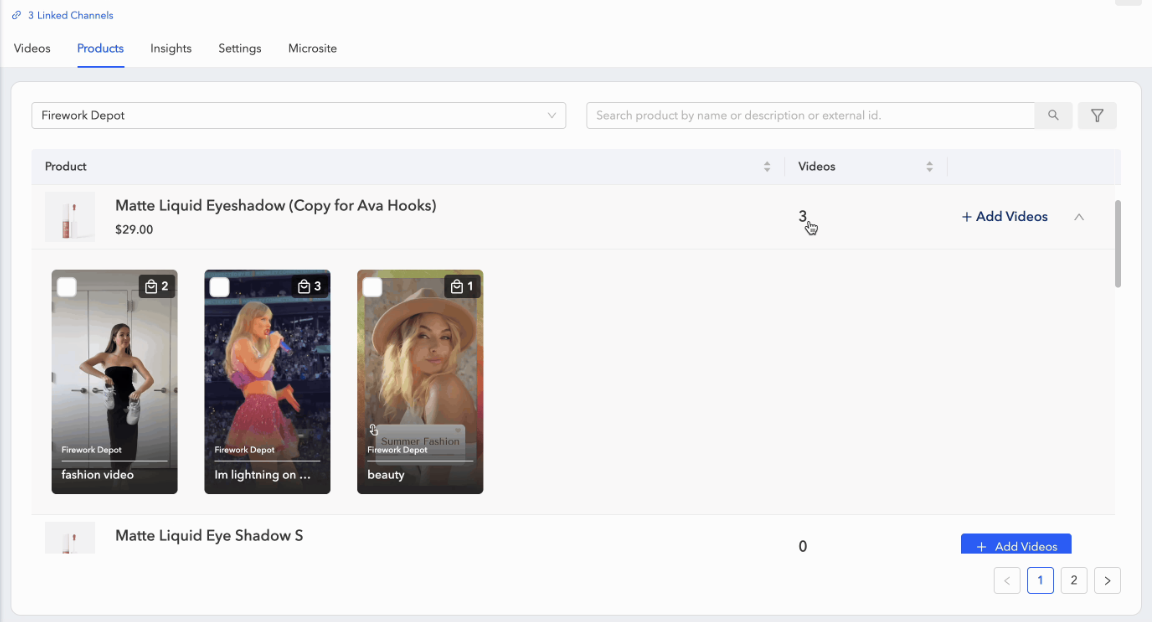
- You can choose the desired store to view a comprehensive list of all products available within that specific store.
[IMAGE: add-videos-to-your-products-and-manage-them-in-one__002__manage_p1_38c548.webp | src: https://cdn.prod.website-files.com/66a003afc59794bcf70c2b34/69d3d638c69137008ad5ed5d_add-videos-to-your-products-and-manage-them-in-one__002__manage_p1_38c548.webp | alt: manage p1] - To add videos to your products, click the "+Add Videos" button, select your desired videos and click "Add" to link the videos to the products.
[IMAGE: add-videos-to-your-products-and-manage-them-in-one__003__manage_p2_853aee.gif | src: https://cdn.prod.website-files.com/66a003afc59794bcf70c2b34/69d3d639a1461a6889e2fc3a_add-videos-to-your-products-and-manage-them-in-one__003__manage_p2_853aee.gif | alt: manage p2] - Clicking on the video will show you all the videos added to the product
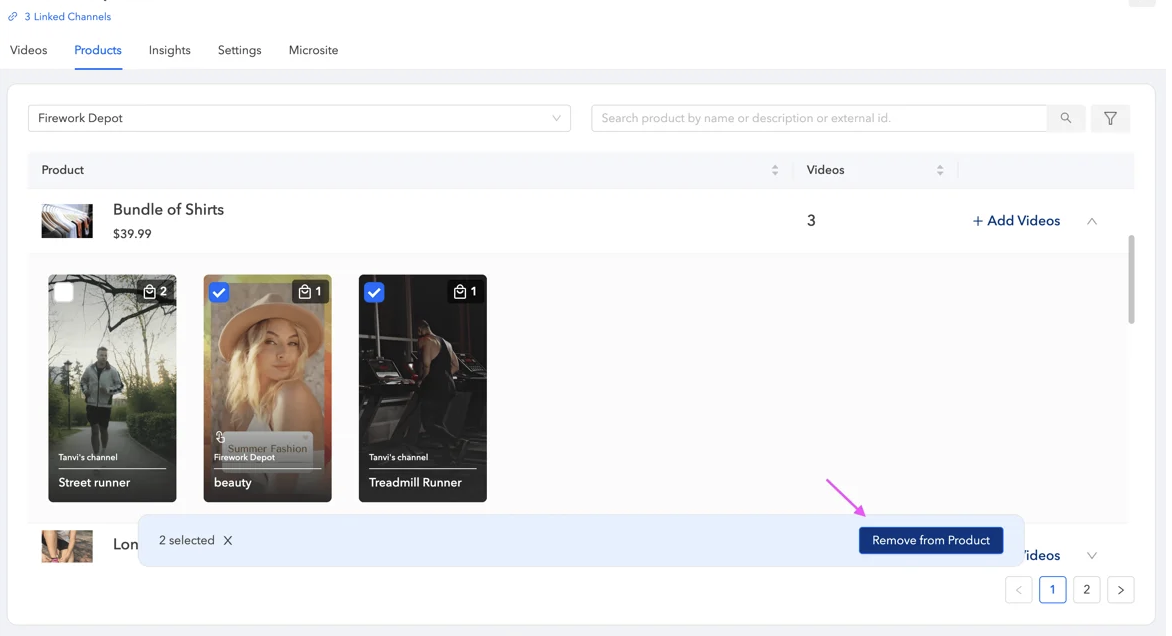
[IMAGE: add-videos-to-your-products-and-manage-them-in-one__004__manage_p3_c89cf0.gif | src: https://cdn.prod.website-files.com/66a003afc59794bcf70c2b34/69d3d63b75c81be892877c64_add-videos-to-your-products-and-manage-them-in-one__004__manage_p3_c89cf0.gif | alt: manage p3] - To unlink a product from a video, simply select the video click on the "Remove from Product" option.[IMAGE: add-videos-to-your-products-and-manage-them-in-one__005__manage_p4_f3650a.webp | src: https://cdn.prod.website-files.com/66a003afc59794bcf70c2b34/69d3d63c75c81be892877db3_add-videos-to-your-products-and-manage-them-in-one__005__manage_p4_f3650a.webp | alt: manage p4]
- You can edit the video in the product tab by clicking on the three dots and then clicking on edit video [IMAGE: add-videos-to-your-products-and-manage-them-in-one__006__edit_video-png_b3777d.avif | src: https://cdn.prod.website-files.com/66a003afc59794bcf70c2b34/69d3d63ddfa2e5a5a3c9f747_add-videos-to-your-products-and-manage-them-in-one__006__edit_video-png_b3777d.avif]
- You also have the option to organize the videos and choose to hide them from the product display. For more information on these features, please refer to the details here. - link