Blur Background for OTO
Agents can now blur their video background during a call for added privacy and a cleaner viewing experience.


How to Enable Background Blur
1. Once you join the call, you’ll see the option to blur your background.
2. Click the Settings icon on the right side (next to the microphone).
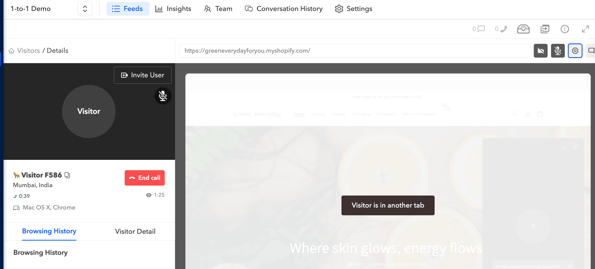
3.Select the Blur Background option to apply the effect.
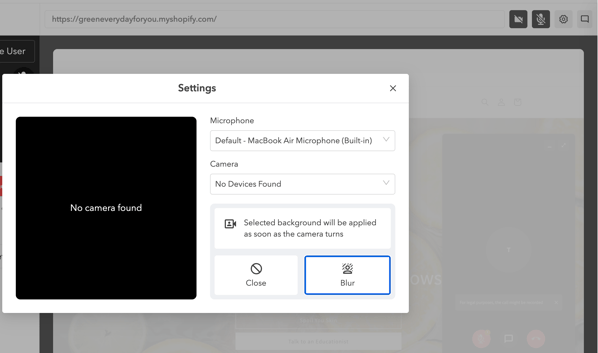
4.If you no longer want the background blurred, click Close