Import Products from Adobe Commerce Cloud into Firework
Learn how to import products from Adobe Commerce Cloud into the Firework Business Portal.
Last updated:
June 4, 2025


Adobe Commerce Cloud Instuctions
Step #1
Go to Firework > Firework Dashboard.
Step #2
Select the store.
Step #3
Click Import Products.
Step #4
Select products to import.
Step #5
Products will appear under the product tab.
Step #6
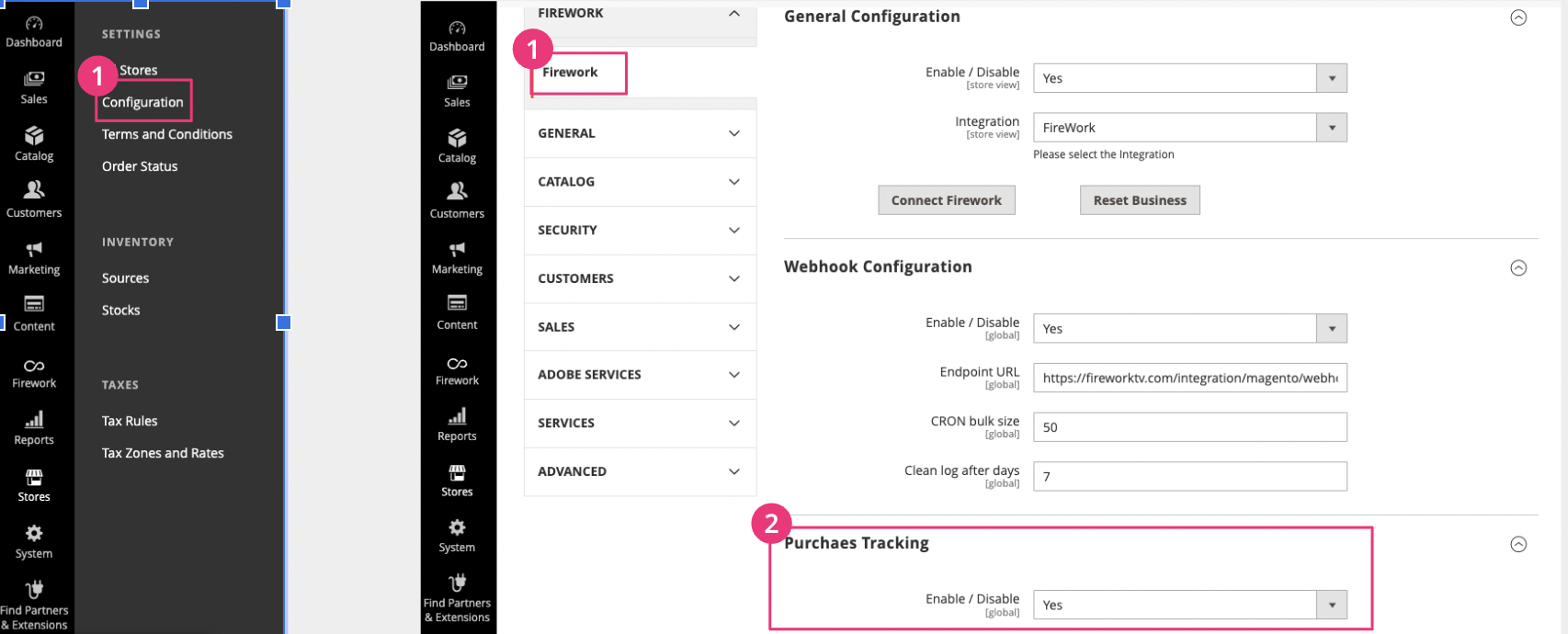
Go to Stores > Configuration > Firework and enable Purchases Tracking.