Gestión de Consentimiento para Importadores
Aprenda a optimizar los permisos para una experiencia de importación fluida.


Solicitud de Consentimiento
Seleccione el Vista previa botón para el video que requiere consentimiento y, a continuación, haga clic en Solicitar Consentimiento.
.gif)
Verá un mensaje personalizado con el enlace de consentimiento. Haga clic en Copiar y abrir perfil esto le redirigirá a la cuenta de IG del Creador, donde podrá pegar el mensaje y enviarlo.
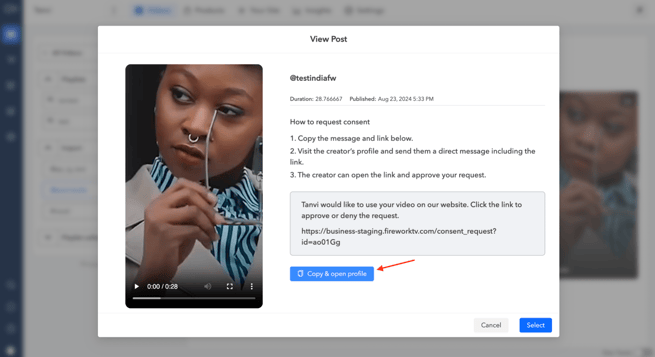
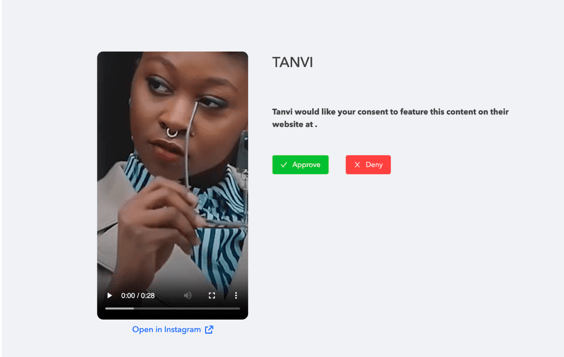
El creador podrá seguir el enlace para aprobar o denegar la solicitud.
Seguimiento de Estados
El usuario puede ver todos los videos para los que ha solicitado consentimiento, junto con el estado actual de cada solicitud, que puede ser Aprobado, Pendiente o Denegado.
