Add AI Co-Pilot Disclaimer
Enable and customize AI Co-Pilot disclaimers in your livestream settings so viewers understand AI responses may not always be accurate.
Last updated:
October 22, 2025


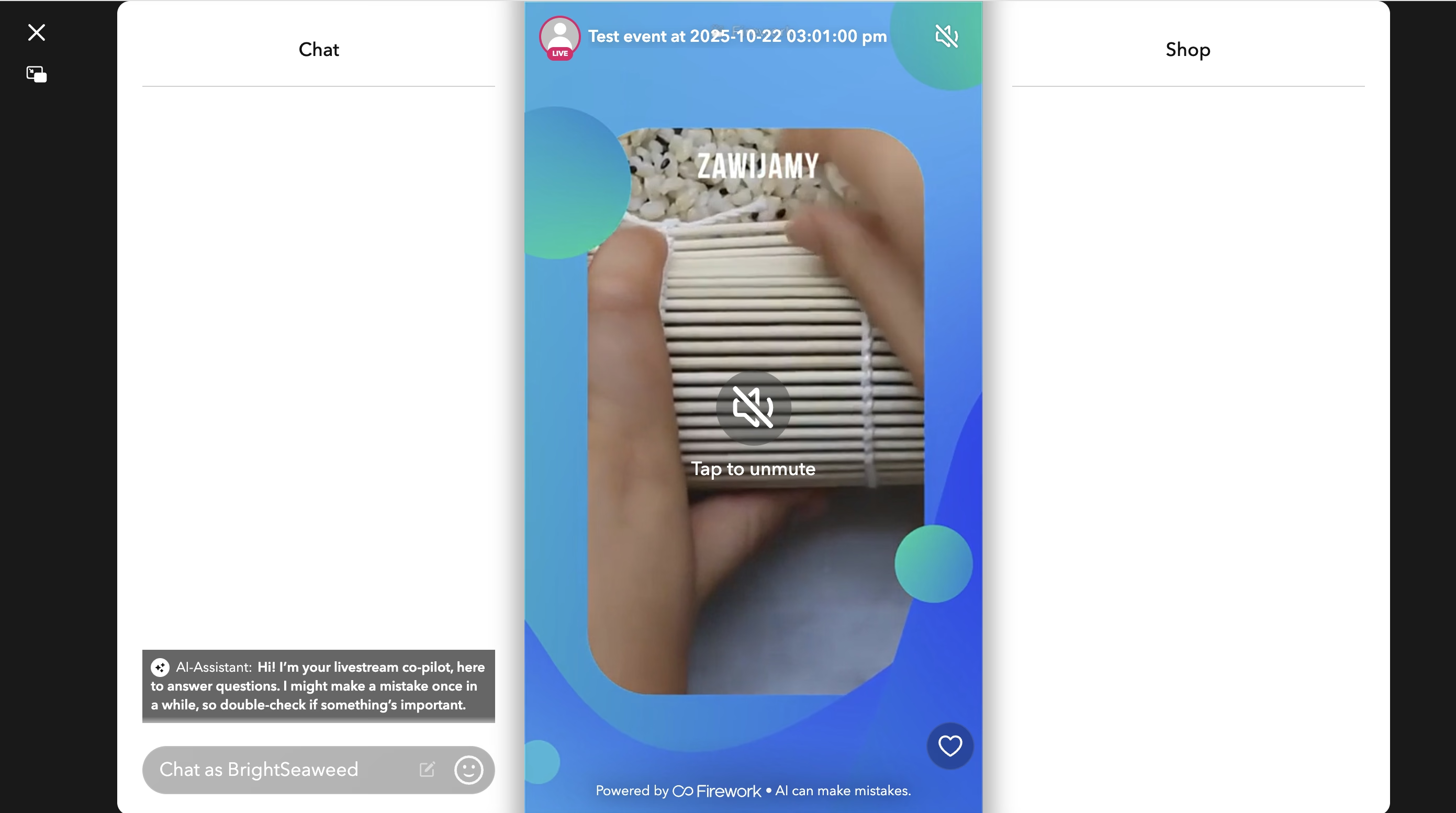
A disclaimer stating “AI Assistant responses may not always be accurate” is displayed whenever the AI Co-Pilot is available in live or re-stream events. This helps set the right expectations for viewers interacting with AI.
How the Disclaimer Works
- The disclaimer appears as a T&C banner or pop-up before users begin interacting with the AI Co-Pilot.
- If a user refreshes or rejoins the event, the disclaimer will appear again.
- If a translation is not available for the user’s region, the disclaimer defaults to English.
How to Enable the AI Co-Pilot Disclaimer
Follow these steps to enable and customize the disclaimer for your livestreams:
Step #1
Log in to your Firework Business Portal and Navigate to Channel Settings.
Step #2
- Under your channel settings, select Livestream Settings.

Step #3
Locate AI Co-Pilot Settings -This section allows you to manage how your AI Co-Pilot behaves across all livestreams so viewers know what to expect when interacting with AI.
Step #4
Enable Disclaimers - Toggle ON the following options:
- Show Footer Disclaimer: Displays a small message in the livestream footer.
- Welcome Message Disclaimer: Displays a short message the first time a viewer joins the livestream.The message appears as if it’s from your Co-Pilot, allowing you to keep it friendly or use formal/legal wording if preferred.

Step #5
You can also include a link to a full disclaimer or terms page for additional context.
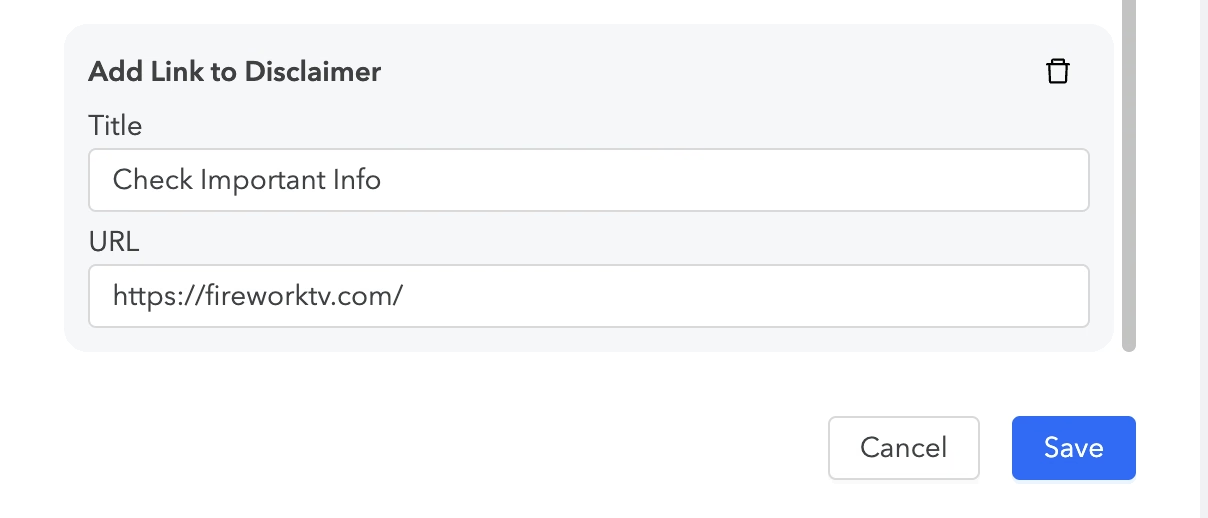
Step #6
Click Save once you’ve configured the settings.
Example Disclaimer Messages
- Footer Disclaimer: “AI Assistant responses may not always be accurate.”
- Welcome Message Disclaimer: “Hi there! I’m your AI Co-Pilot. Please note that my responses may not always be 100% accurate.”