Set Up Sources for Tiktok Importer
Learn how to connect your TikTok Personal accounts and URL


Importing Videos from your Tiktok
Step #1
Select All videos followed by Tiktok Importer if you are setting up a new channel. For existing ones click on Add videos located on the right side followed by Tiktok Importer.

Step #2
Select Your Account and click Connect Account to link your TikTok account. After logging in, your account's content will be accessible under the import tab on the left.

Step #3
Select the videos to import and click Import selected. You can then edit titles, associate products, add tags, organize into playlists, and set visibility. Once finalized, click 'Upload' to complete the process.
Step #4
The imported videos will then appear in the All videos section. Click on the video if you want to make any other changes to the video after uploading.
Import Videos from Tiktok URL
Step #1
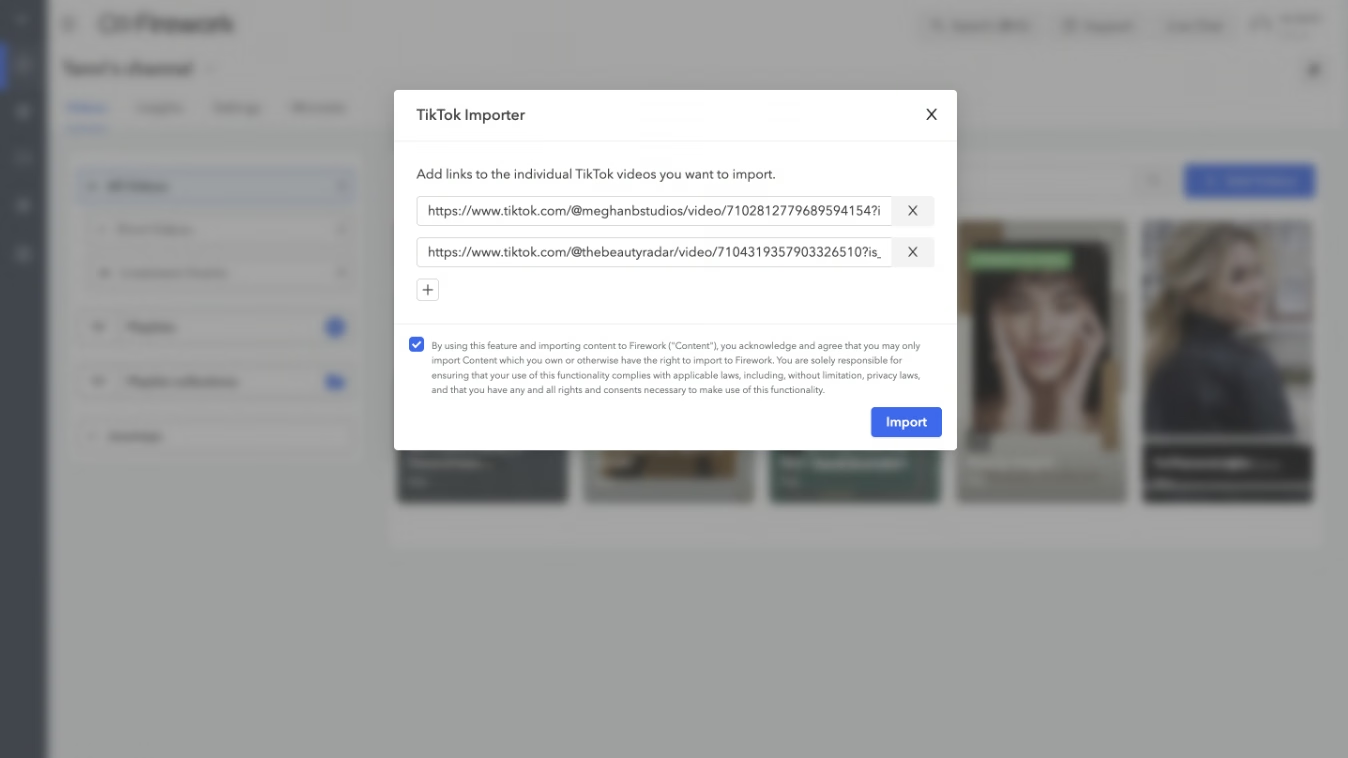
Enter the URLs of the TikTok videos you want to import. You can add up to 10 links at a time. Check the box to agree to the Terms & Conditions and then click the Import button to finish the process
Step #2
After the import, You can then customize video titles, associate products, add tags, organize videos into a playlist, set visibility options, schedule the upload and agree to the terms and conditions. Click Upload when finished.
