Create Short Video Clips from Your Livestream
Learn how to create short video clips from your Livestream event
Last updated:
October 8, 2025


Create clips from your Livestream
Step #1
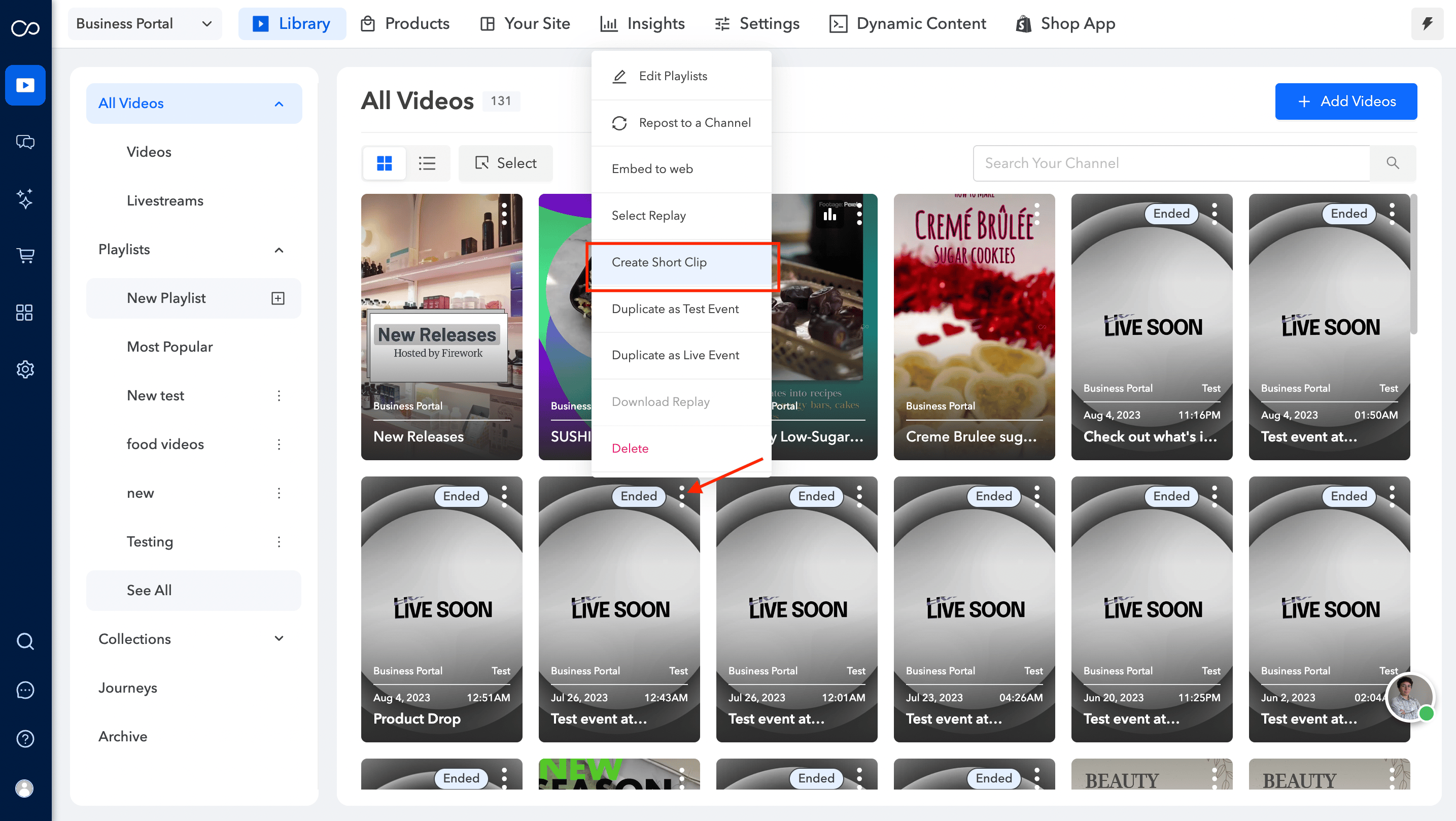
Select the 3 dots at the top of a Livestream clip and then select Create Short Clip.
Step #2
Simply select which product clip you want to turn into a Short Video.You have the option to select any clip from the created Product Clips . Once you have selected your Short Video Clip, click Select.
Step #3
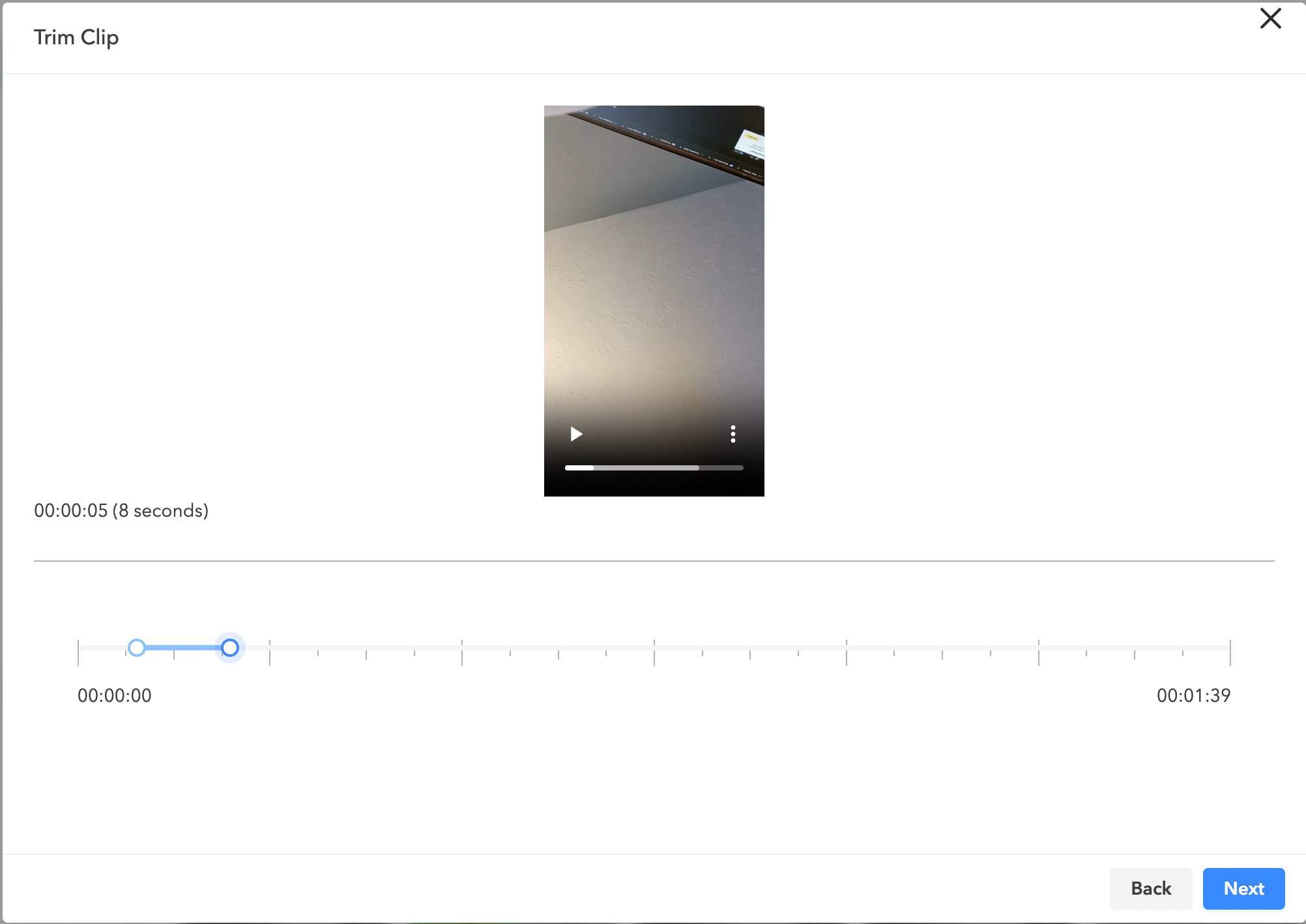
From there, select which portion of the clip you want to turn into a Short Video by using the meter below your video.
Step #4
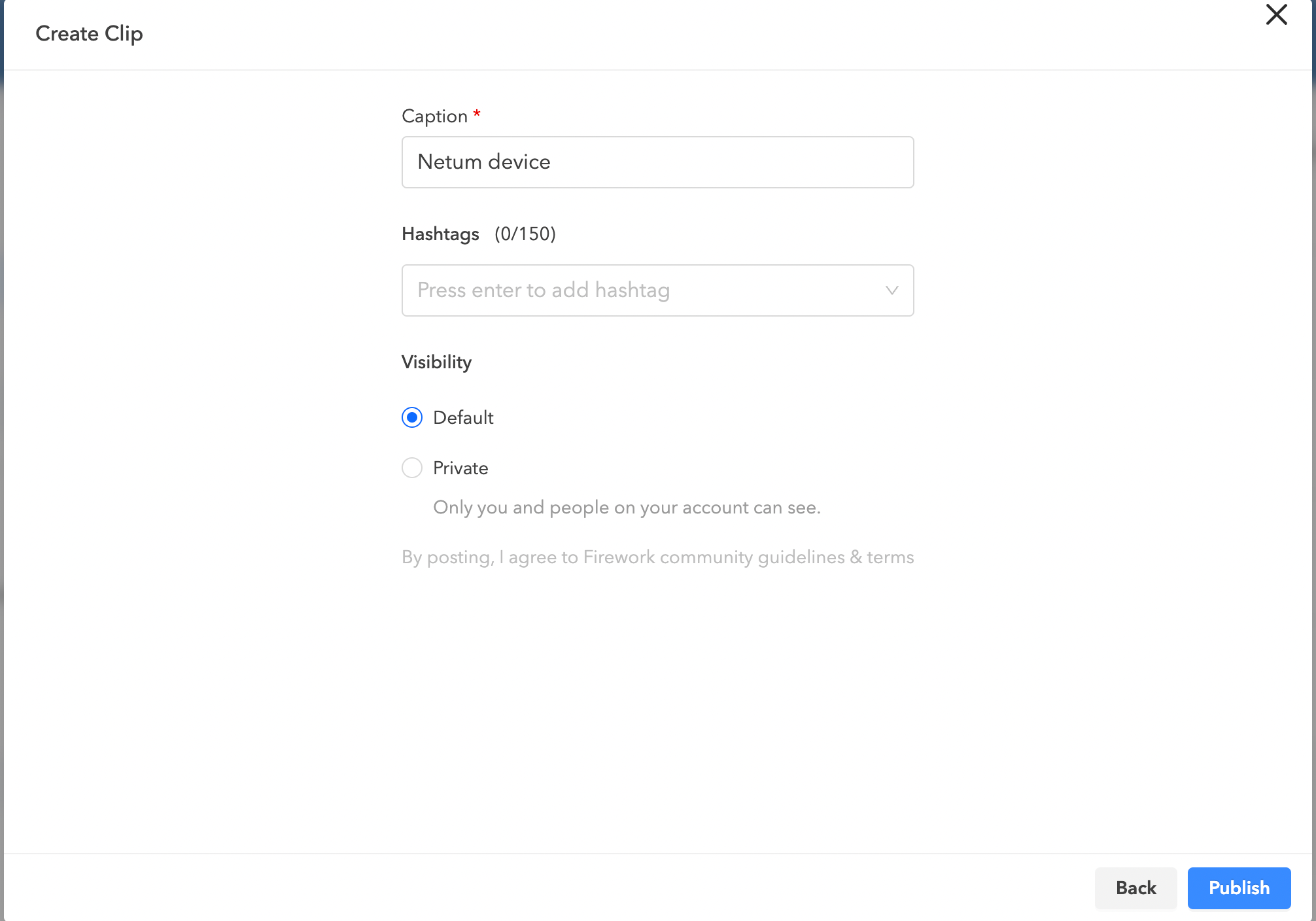
Enter a caption, relevant hashtags, and select visibility settings, then click Publish to finalize your Short Video.
Step #5
You will now see your new Short Video under the All Videos section of the Business portal.