Leverage a Giveaway for Livestream Events
Learn how to setup a giveaway for a viewer to win a prize.


Launch a Giveaway
Step #1
To begin, you need to find your Livestream and then select Interactions and click on Giveaway.

Step #2
Setup the Giveaway by giving it a Name, Description, and adding a link to the Terms & Conditions (if applicable). Select Save.

Step #3
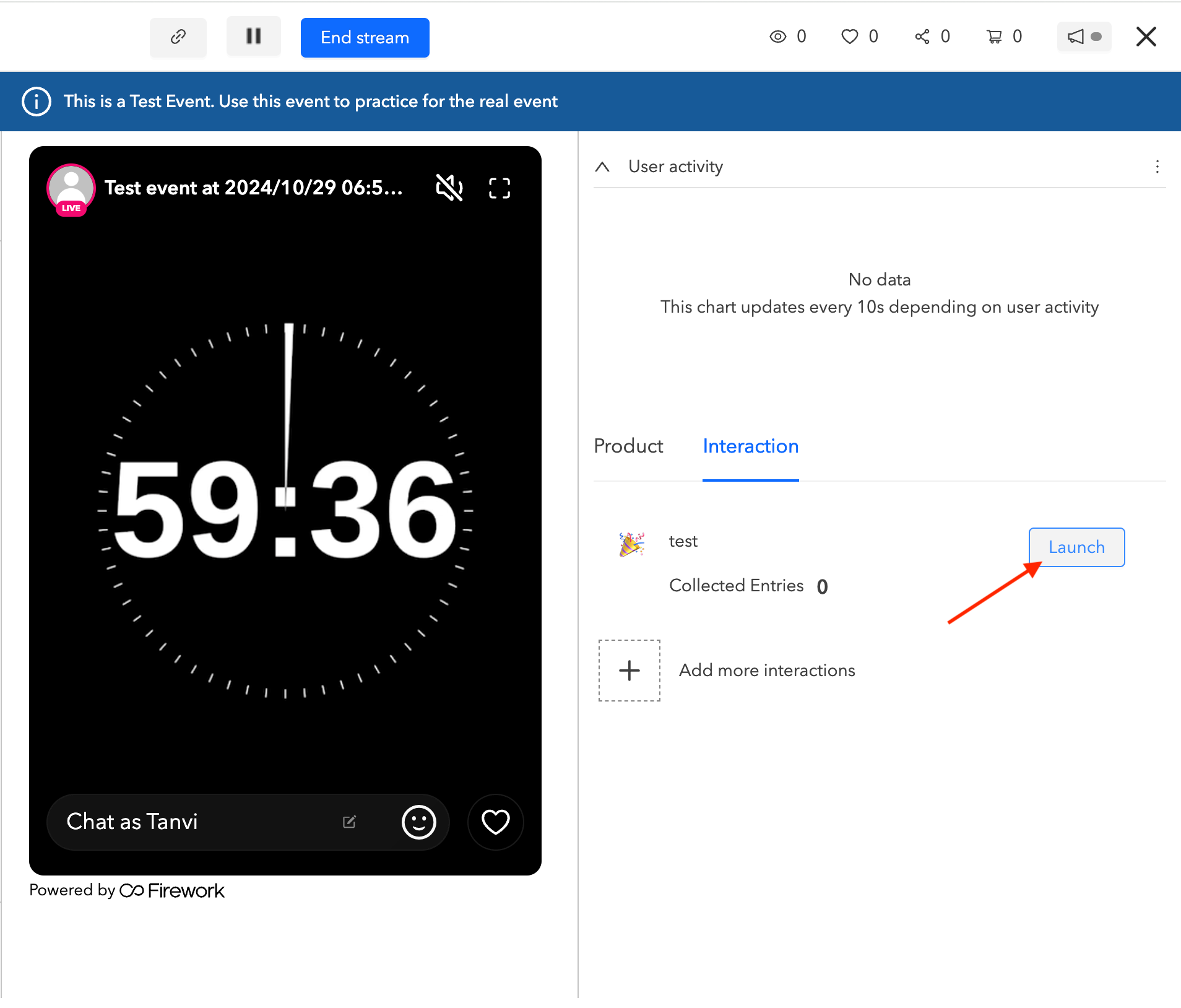
From the Assistant Mode, click on Interactions and then click on Launch for the Giveaway to appear.
Step #4
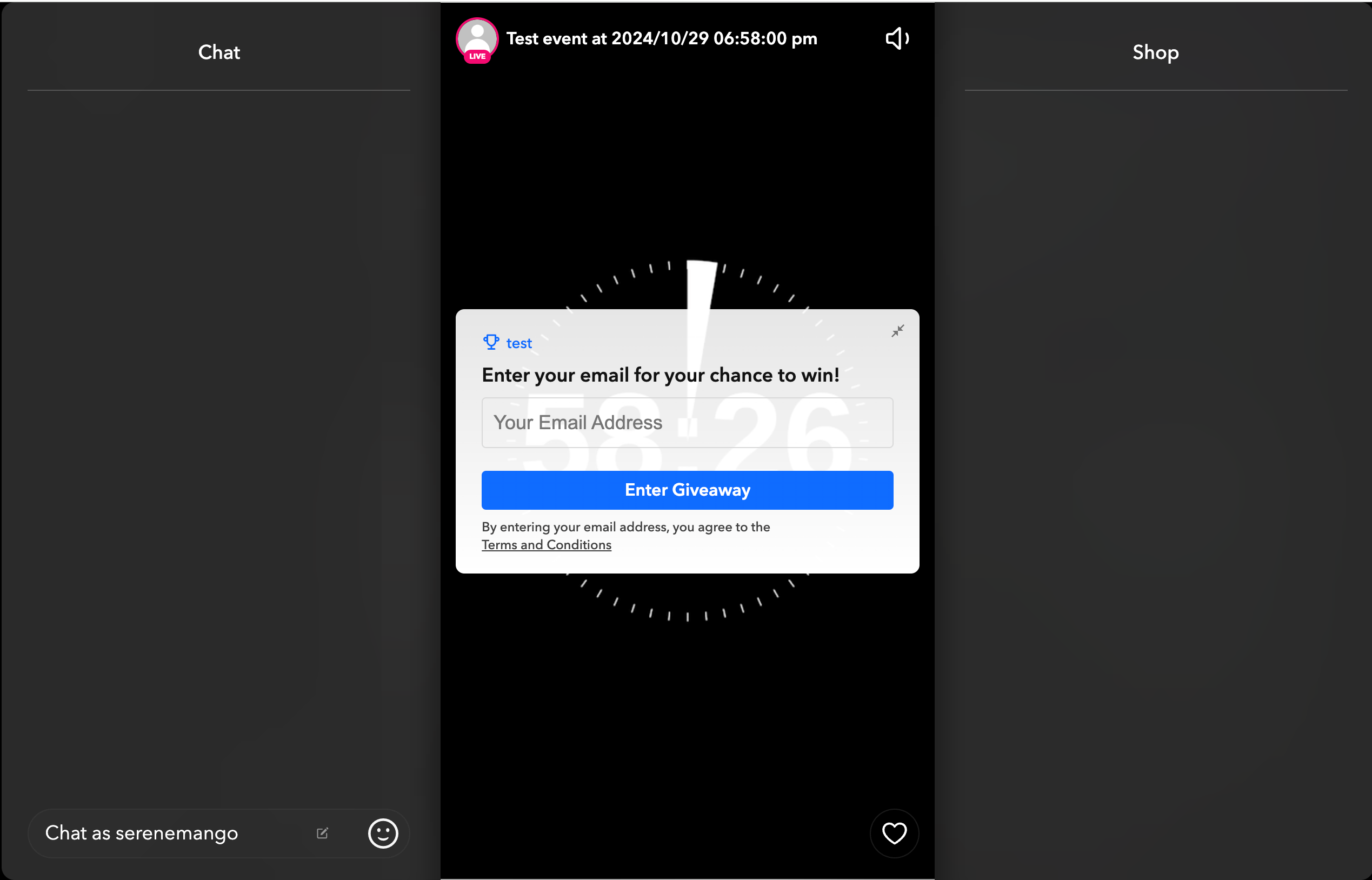
Once the Giveaway is launched, viewers will see a prompt on their screen inviting them to participate in the Giveaway by entering in their email.
Step #5
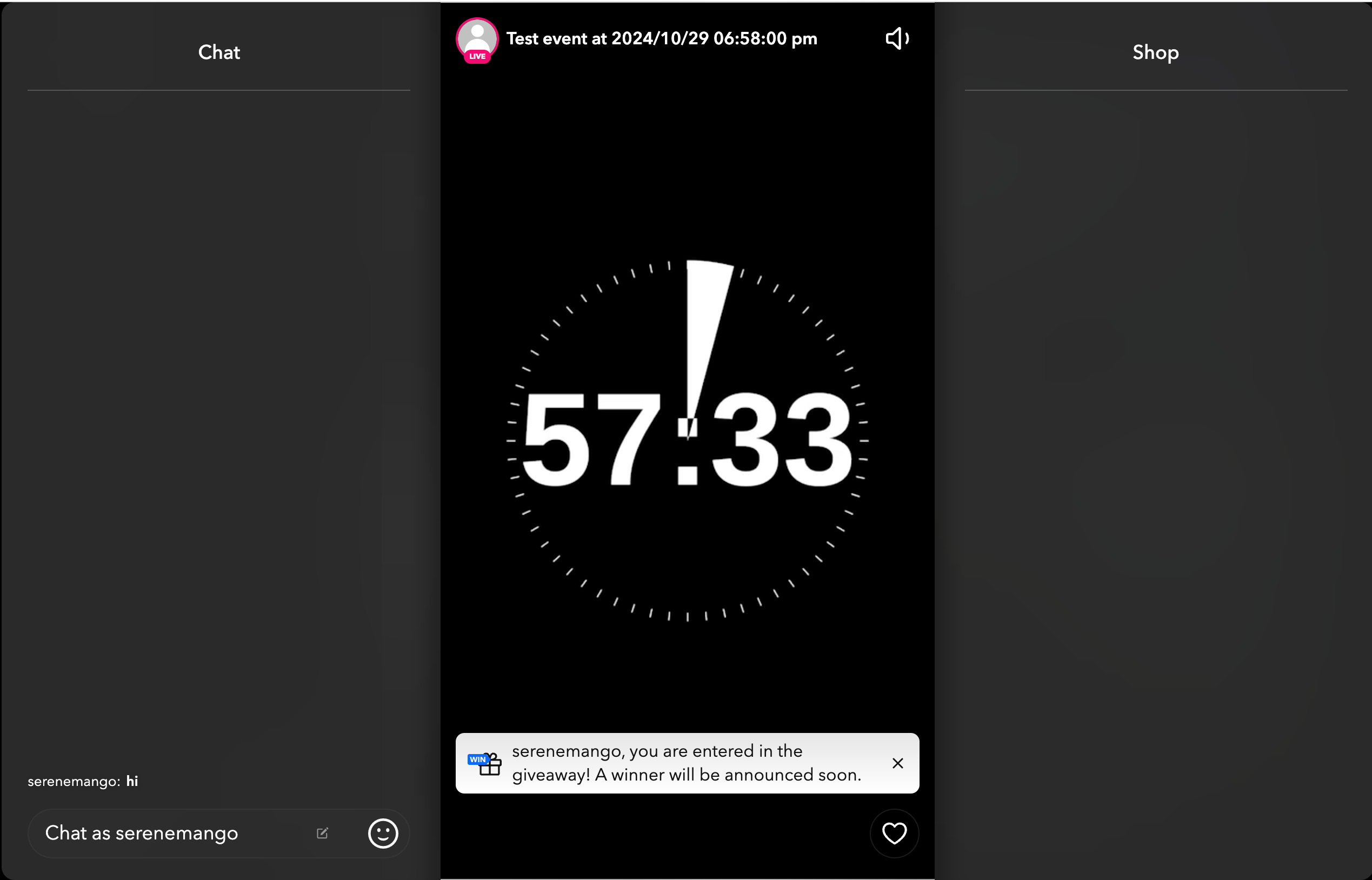
Once you enter the mail id for Giveaway you will receive a notification that says you have entered the giveaway.
End a Giveaway
Step #1
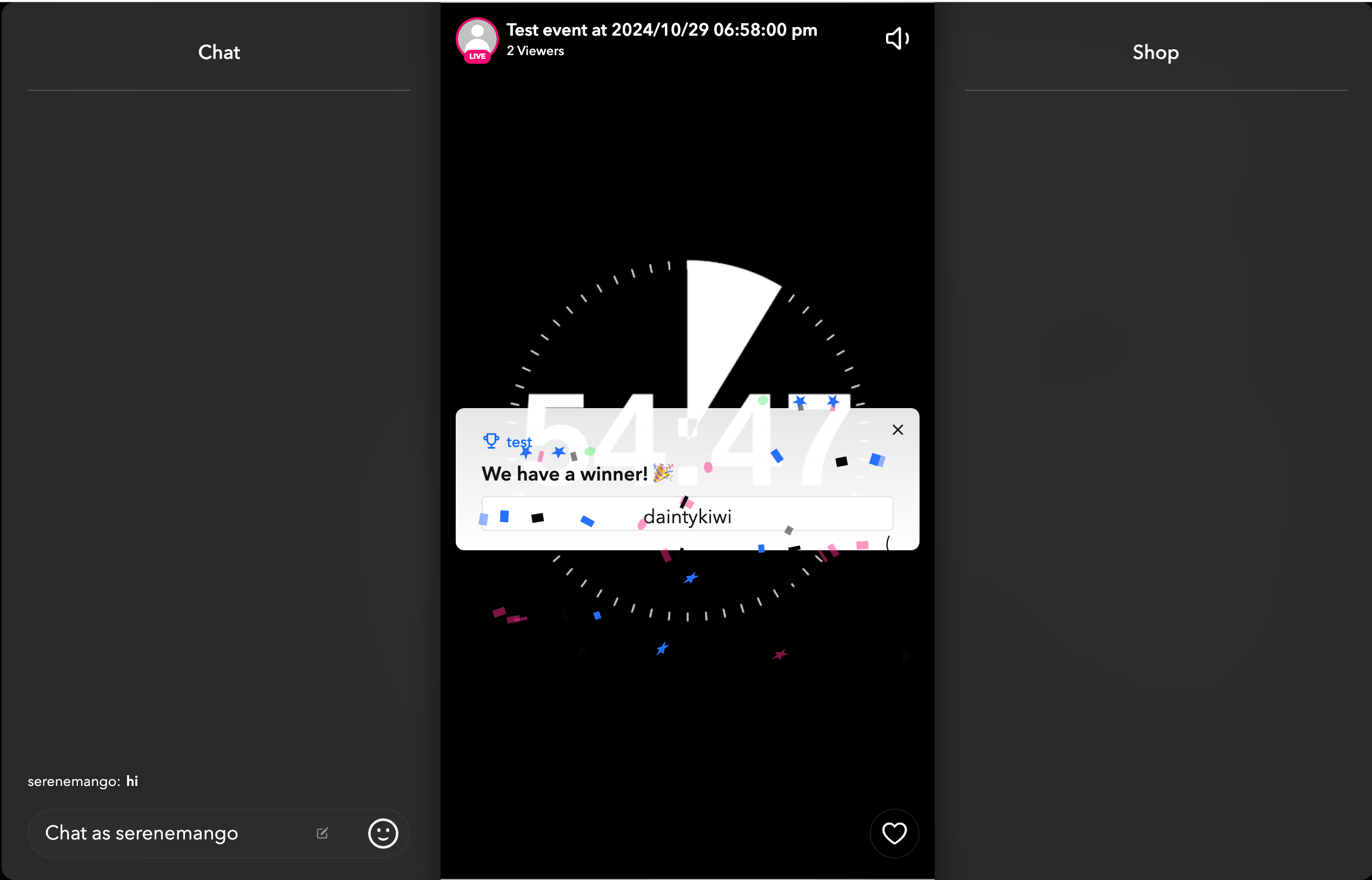
When ready to end the Giveaway, click on Draw winner to randomly select one participant from the list of entrants. A spinning wheel will appear and the winner’s name will be displayed on the screen.
Step #2
To view the winner, exit the assistant mode and return to the Interactions section. Here, you can view the details of the winner by clicking on the Responses. You can also click on the download option to save the email ids and usernames of the participant's responses.

Note:
- Only one winner will display in the spinning wheel. In the event that winner does not accept the prize, there are 10 backup winners selected.
- Giveaways will not appear in the replay.