How to Upload External Leads for “Remind Me” Trailers
Users can now upload a CSV file containing emails and phone numbers to enroll viewers into Remind Me notifications for a specific livestream.


What This Feature Does
- Allows users to upload a CSV file with email addresses and/or phone numbers.
- Leads are used only for that specific stream instance.
- CSV requires two columns:
- Phone Number
- A downloadable template is provided to ensure proper formatting.
- Data is automatically deduped, preventing users from being added multiple times.
- Example: If test@mail.com already signed up manually and is also uploaded in a CSV, they will only appear once.
Before You Start
Make sure you have:
- A CSV file matching the format of the “Download CSV” example from the Remind Me module.
- The FW event URL, which must be entered to enroll users into reminders.
- Correct email and phone number formatting in the CSV.
How to Upload Leads
- Go to your event trailer inside the CMS.
- Once a Remind Me action has been added, you will see an option labeled Upload External Leads.
- Click the upload button or drag your CSV file into the drop area.
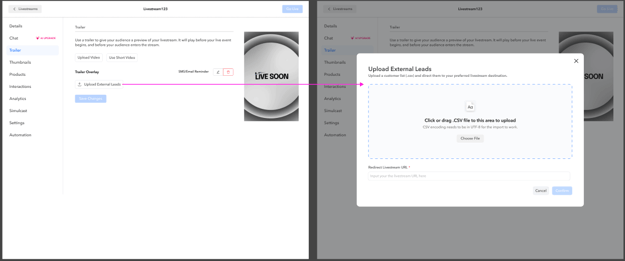
- Enter the redirect livestream URL (required before moving forward).
- Click Confirm to finish the upload.
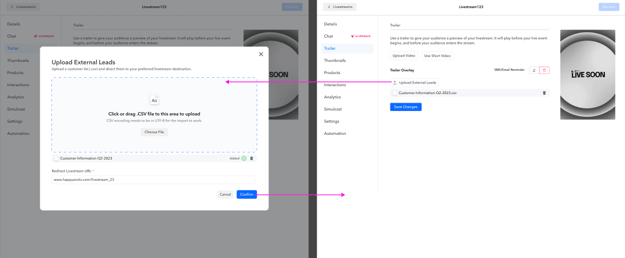
You will now see the uploaded file attached and processed.