Implement One-to-One Virtual Shopping on
Set up Firework's One-to-One virtual shopping on WooCommerce by installing the plugin and configuring your channel ID.
Last updated:
October 7, 2025


Step #1
Install our plugin for WooCommerce from the WooCommerce plugins page.
Step #2
From the WooCommerce dashboard, go to "Tools", then "Plugin File Editor".
Step #3
Choose the plugin "Web Stories by Firework" and click on firework-videos.php.
Step #4
Scroll down to find the line containing data:
- fwparam_chat_channel_id="channel_id_here".
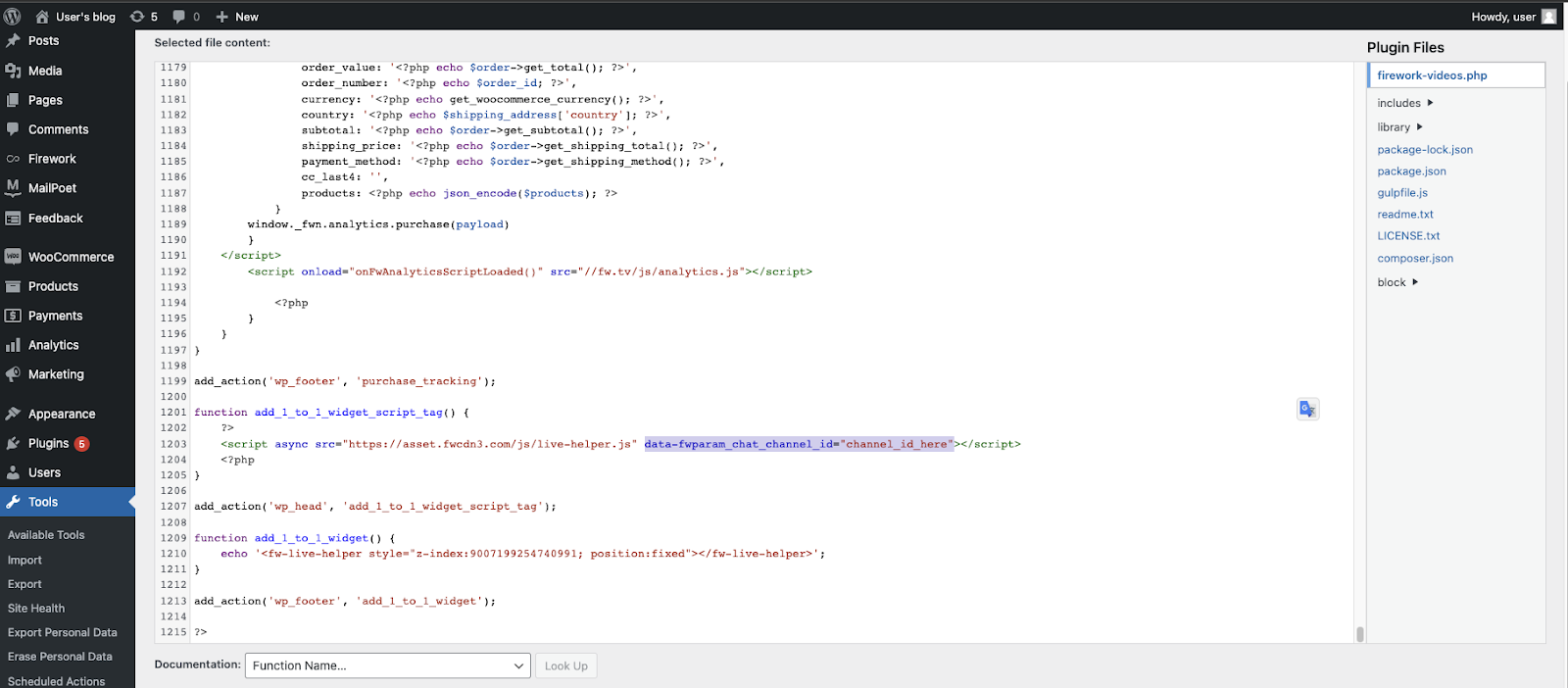
- Insert your channel ID within the quotation marks.
Note:
Please make sure your plugin is at version 6.0 or above to get the newest updates.